
Video tutorials
See 2Timer workflows in motion.
Walkthroughs for real meet-management tasks: importing data, connecting timing systems, combining races, scoring, reporting, and moving cleanly through race day.
Latest tutorial
Bulk Assign Bib Numbers in 2Timer (Custom Sorting & Ranges)
Assigning bib numbers doesn’t have to be slow or manual. In this video, I walk through how to use 2Timer’s bulk bib reassignment tools to quickly and accurately assign bibs across your entire meet. We’ll cover both individual reassignment and the real power of bulk assignment. You’ll see how to order athletes using up to four levels of sorting, including team or affiliation, gender, last name, and first name. This makes it easy to create clean, logical bib sequences that match how your meet is organized.
Playlist
More tutorials

How to Use Waves in 2Timer (Normalize Times & Split Results)
If you're running races with staggered starts, Waves in 2Timer are essential—but they’re more powerful than most people realize. In this video, I walk through how to use waves to: - Handle staggered starts (Wave 1, Wave 2, etc.) - Normalize times so later waves are scored fairly - Organize athletes into logical groups - Split results by wave instead of combining everyone into one set Waves aren’t just about start delays—they’re a flexible way to group athletes and control how results are calculated and displayed. Whether you're timing cross-country, road races, or large meets, this feature gives you cleaner results and greater control.

Generating test athletes, teams, and results in 2Timer
Sometimes you need some random data to play around with. This tutorial shows the macros in 2Timer that can be used to create funny team and athlete names, random entries, and fake results.

How to Score a Cross Country Tri-Meet as a Double Dual in 2Timer
Running a cross country tri-meet? In this video, I’ll show you how to use 2Timer to score it as a double-dual meet—without running separate races. We’ll use Leagues to split a single race into three head-to-head matchups: Team A vs Team B Team A vs Team C Team B vs Team C From there, you’ll learn how to: Automatically score all three dual meets from one race Keep everything clean and organized inside 2Timer Export results either as a combined race or as separate dual meet results This is a huge time-saver for meet directors and timers who want accurate scoring without extra complexity.

Timing races with Feibot timing system
Let's walk through setting up a connector to the Feibot timing system. We'll load in our chips and set up markers. I'll walk you through creating the corrector and the read routing rules so the reads will flow into the correct place. Then we'll watch the time flow in live!

Combine XC Races into a Super Event
It is easy to combine two cross-country races into one event with 2Timer. We use a feature called super-event so that we can officiate it as a single race, while entries flow seamlessly back to their underlying sub-events.

Quick Primer for Navigating 2Timer
Let's walk through the basic navigation, what the different navigation options represent, and where to find things.

Combine mulitple races with Super-Events in 2Timer
The most requested feature for 2Timer was a way to easily combine multiple races into a single event while still allowing entries to flow into the sub-events. This lets you run multiple divisions or genders together physically while still having them score individually.

Setting up a FinishLynx connector with 2Timer
Connectors allow for incoming and outgoing communication of meet data. FinishLynx (and FieldLynx) is one of the most common in the sport. It's simple to set up, and then changes are automatically picked up (in both directions) when new data is available.

Seeding track & field meets in 2Timer
We'll learn the basics of seeding profiles, manual seeding, and automatic seeding. Your entire meet will be seeded in just a few clicks.

Create a new meet in 2T from Hytek Semicolon Delimited File
Importing a new meet from standard registration sites is easy! Download the Hytek Semicolon Delimited file from your sign-up provider and then import it. The simple wizard in 2Timer will have you ready to go in a few clicks.
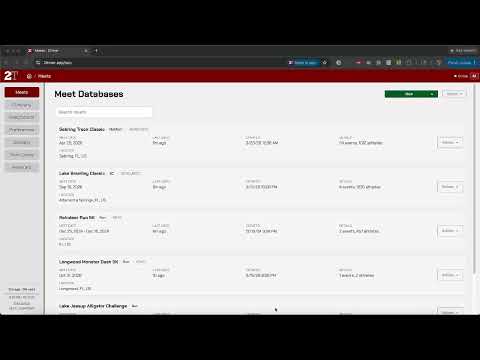
2Timer is an Offline-First and Installable Application (PWA)
When we say "Progressive Web App" (PWA), most people say, "huh?" What this means is that you can install it like a traditional desktop application, and it is fully accessible offline.

Early early preivew (December 2024): 2Timer App
This is an early alpha version of this new meet management software. It's not ready for production use. Right now, it's just a side project for fun, and we'll see how it develops from here. I'd love any input. It's available at: https://2timer.app/